
Exporting Files
Export an open document to PDF for printing
Choose File > Export.
Specify a name and location for the file.
For Save As Type (Windows) or Format (Mac OS), choose Adobe PDF (Print), and then click Save.
Select High Quality Print as the preset.
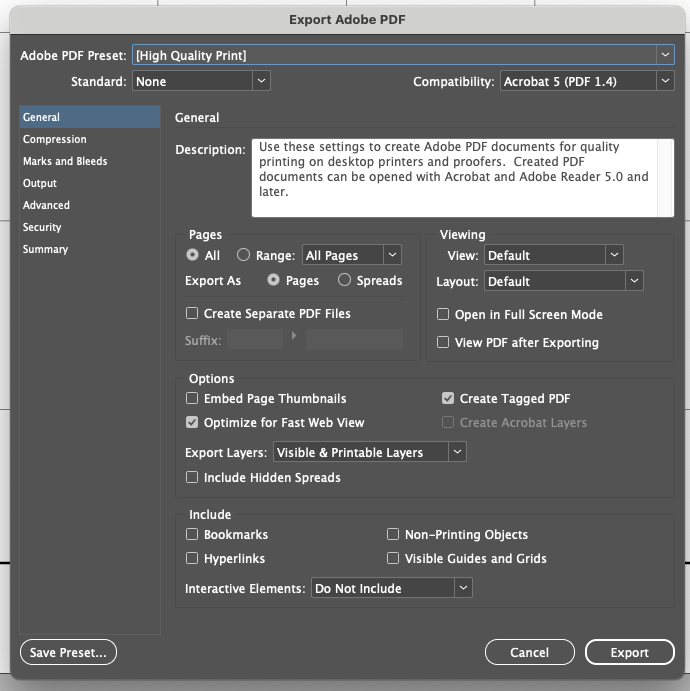
Click Export.
Export an open document to PDF for sending/reading on a screen
Select File > Export.
Specify a location and a File name.
Select Adobe PDF (Interactive) in Save as type (Windows) or Format (macOS) and select Save. Specify Viewing options in the Export To Interactive PDF dialog box:View: Fit Page
Layout: Two-Up (Cover Page)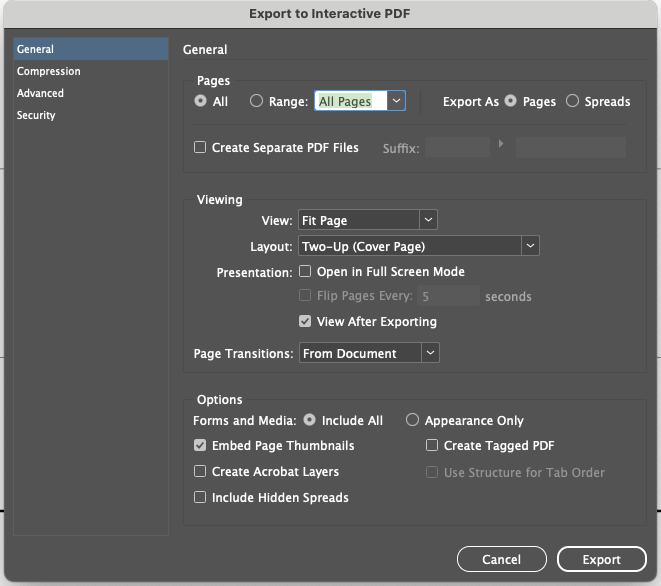
Click Export.