
Create materials for the CD meeting
Purpose
CreateSupport aleaders' presentationprioritization of the challenges and top supporting data and leadership prioritization tools.challenges.
Responsible Party
Project Lead
Interdependencies
The Challenge Defining document has been finalized and approvedapproved, and meeting logistics have been confirmed.
Directions
- Meet
the VP of Operations and/or other engaged members of the research team and determine the best method to facilitate leaders through identifying challenges to send to Solution Seeking. Commonly used methods include:PrioritizationwithHandoutCreateMatrixa-handouturgency/information,thatimpact/effort- Ranking
includes - Regardless of the method used, provide leaders with a summary of
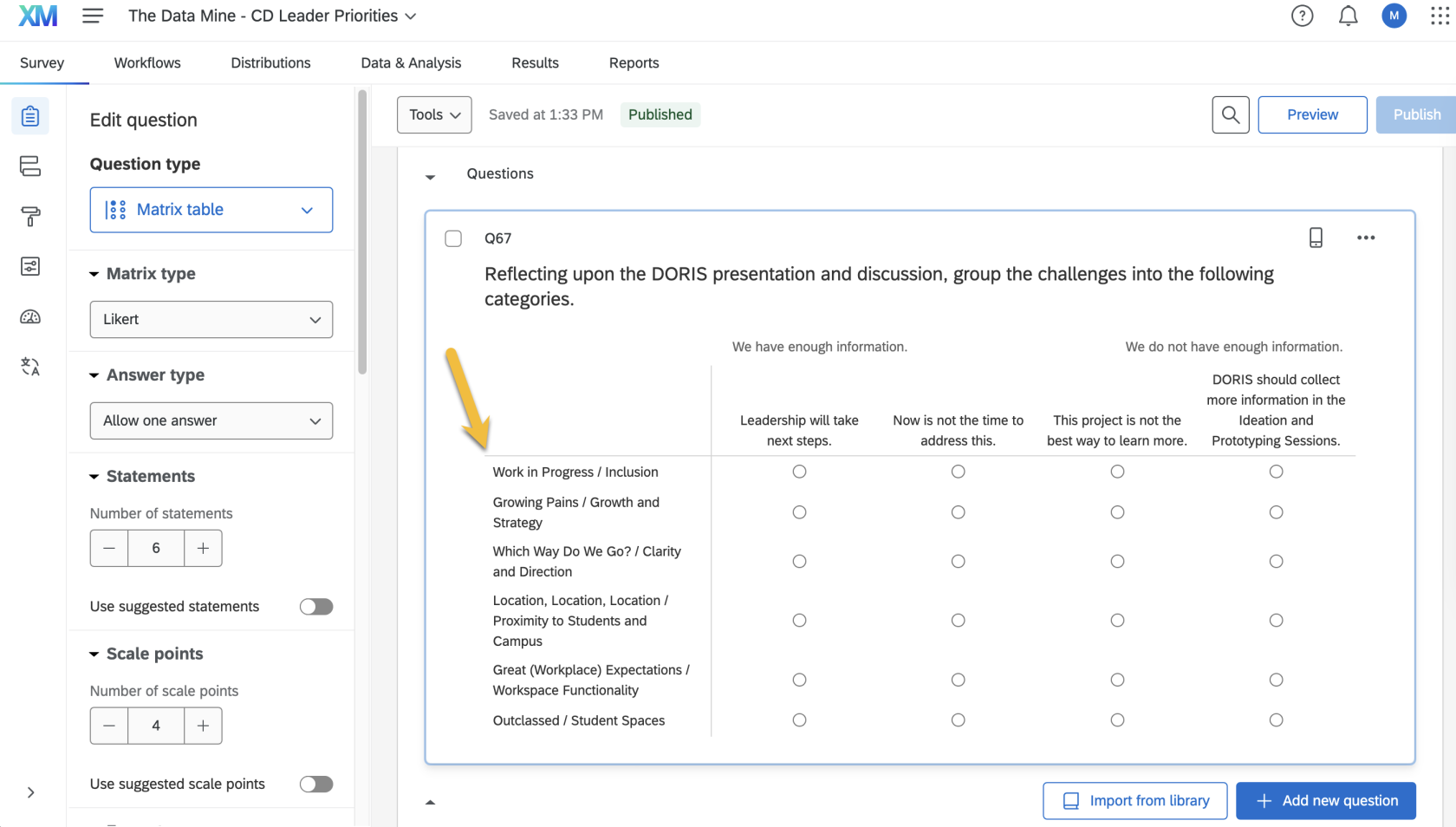
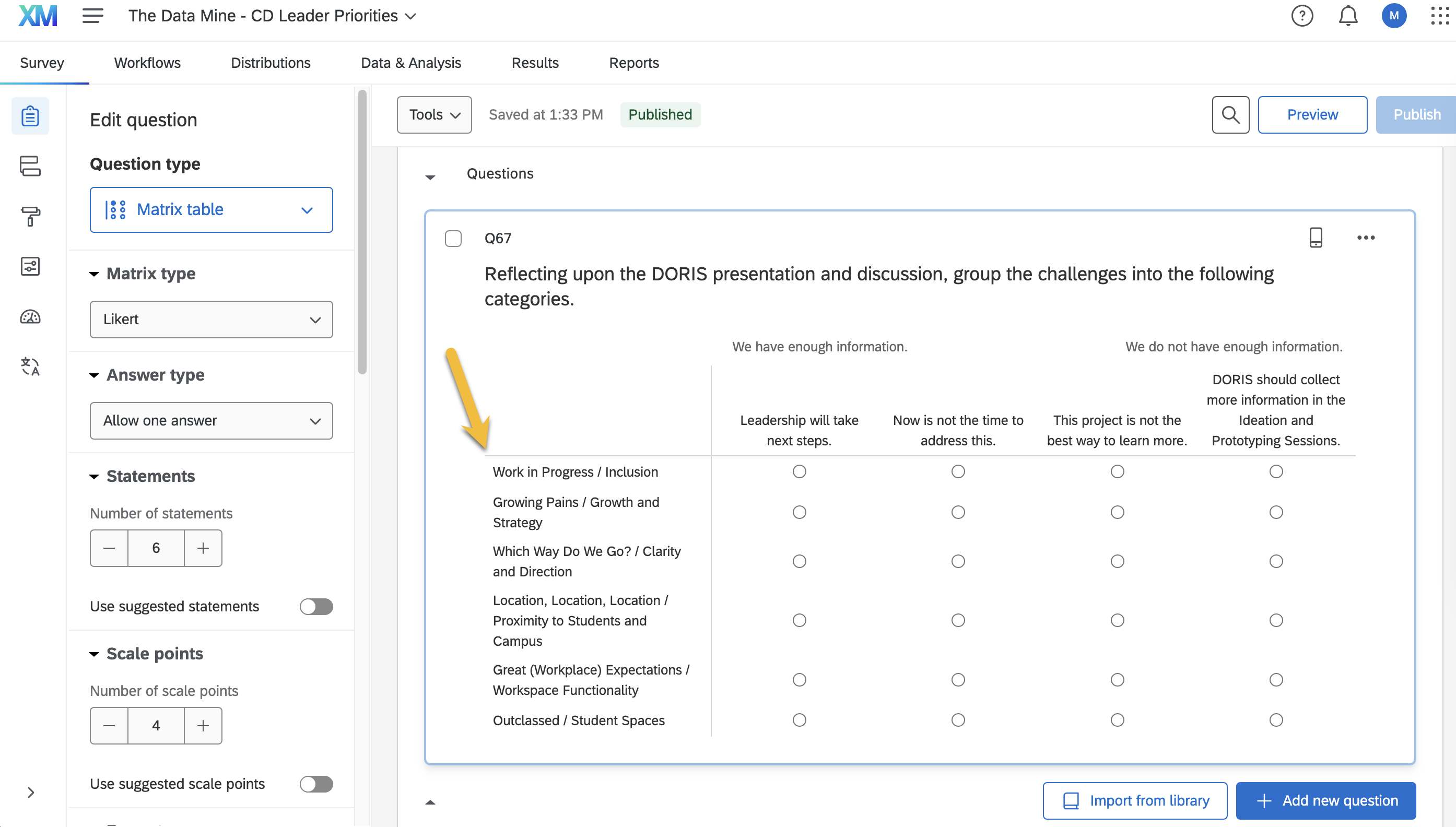
each challenge,thefouritemsprioritizationtheycategories,areandcomparingthe(whichQRiscodeoftenand link to the prioritization survey. Prioritization SurveyCreate a Qualtrics survey based on "23 Challenge Defining Leader Priorities"already in theLibrary.deliverable)- and
Updateinstructionstheonchallengeshow tocorrespond to the document
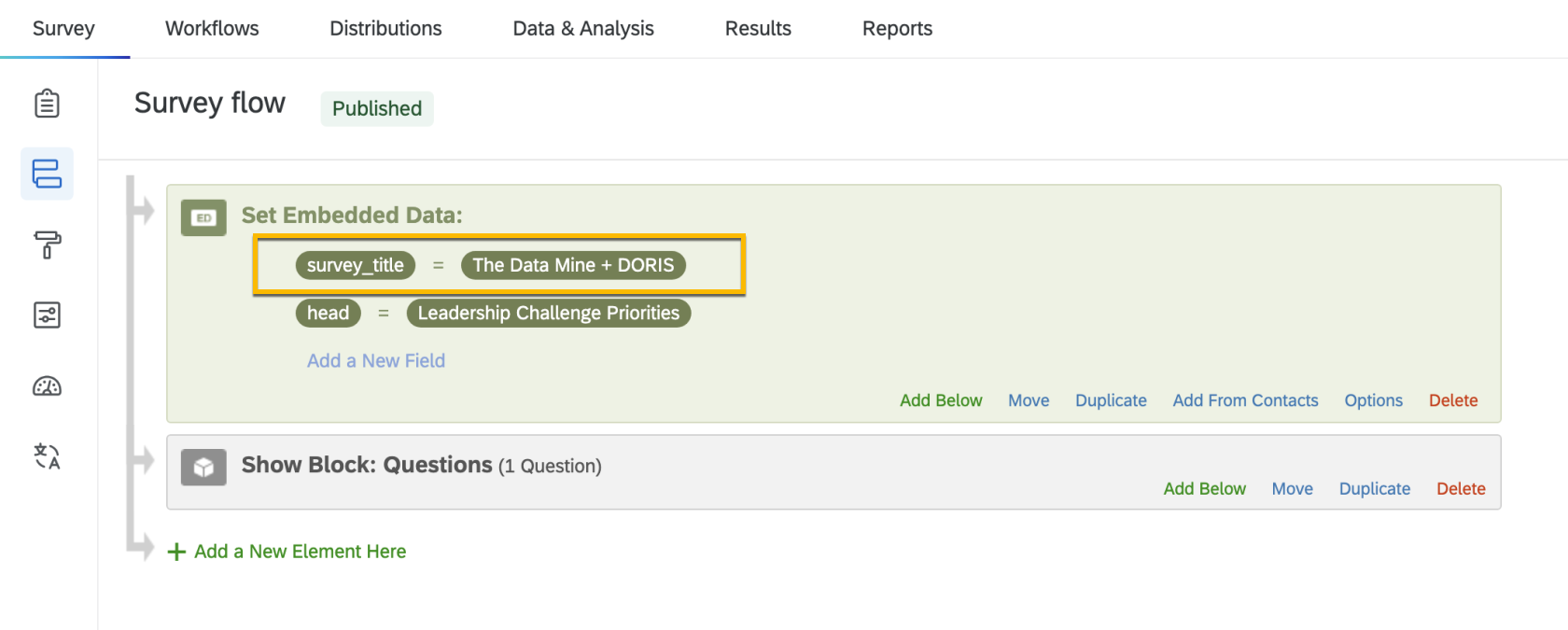
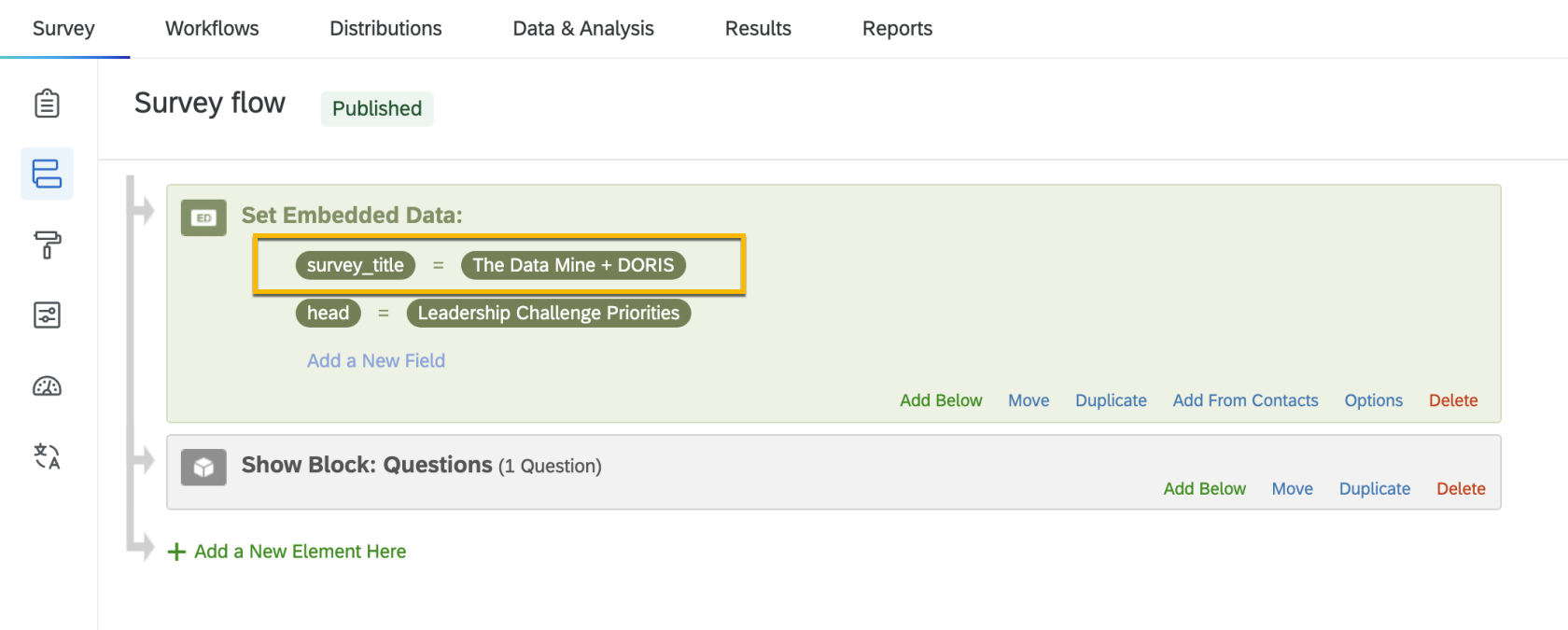
In the Survey Flow, update the organization's name insurvey_title.
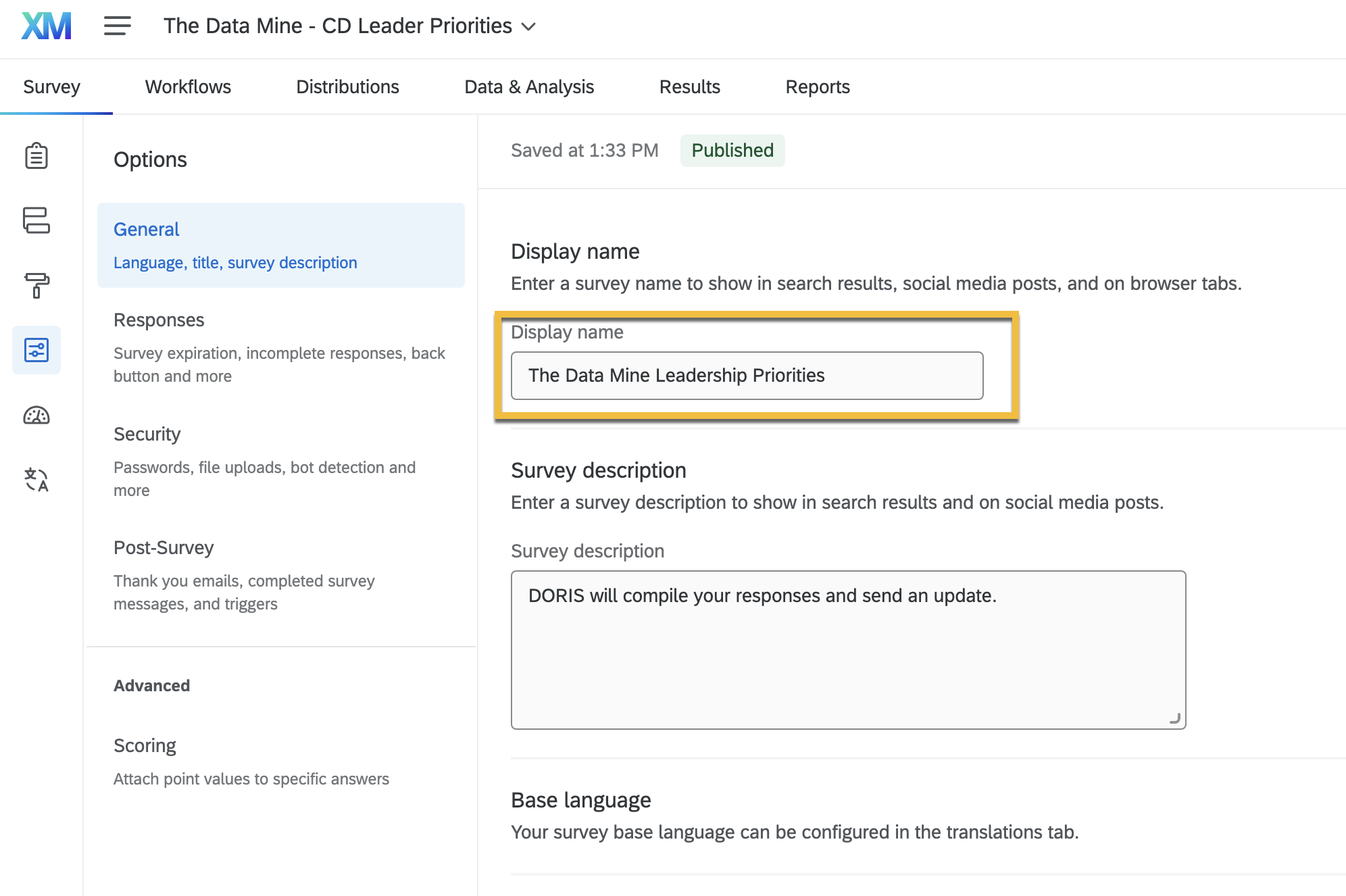
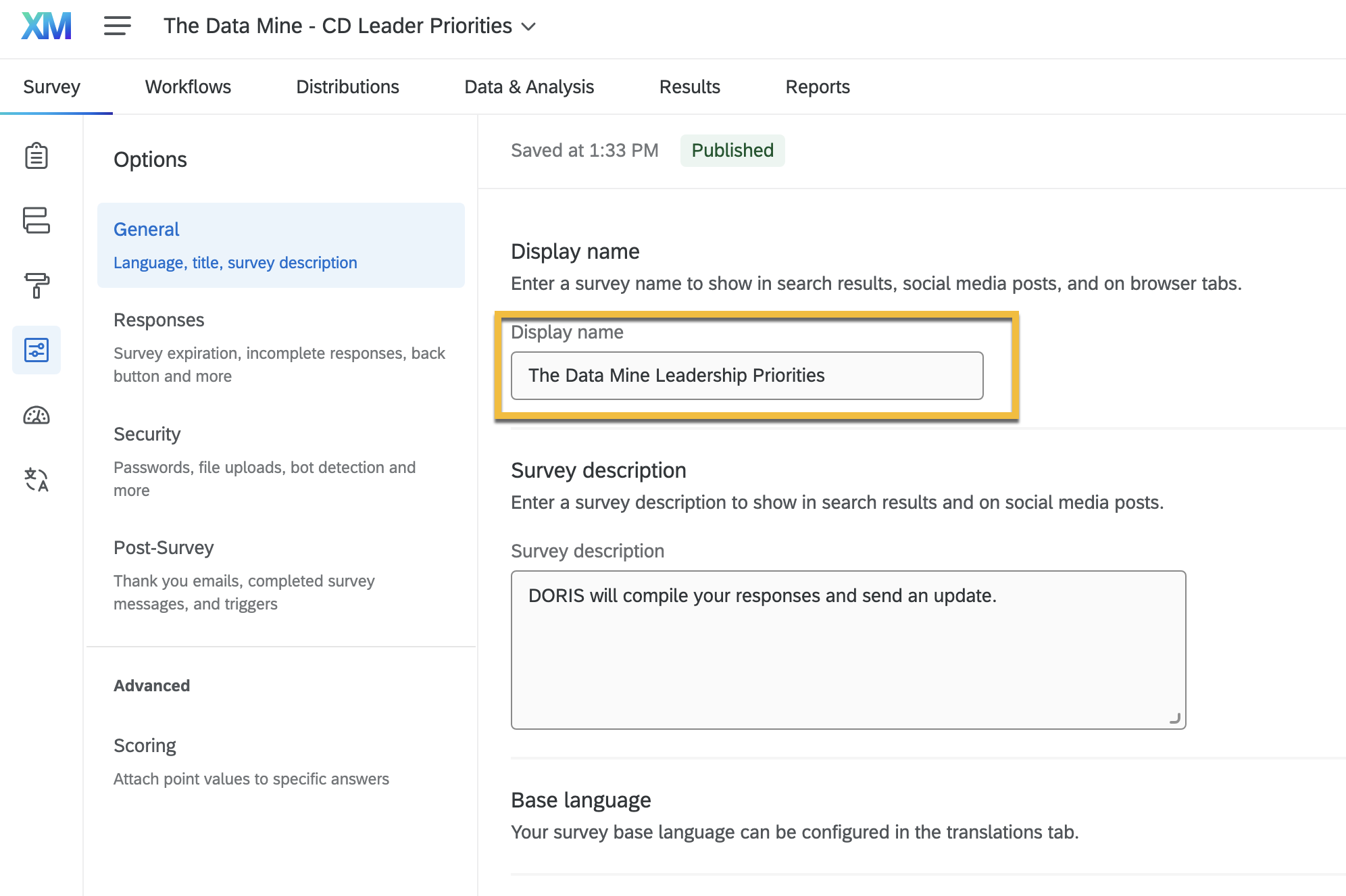
Update theDisplay nameandSurvey descriptionin the survey options
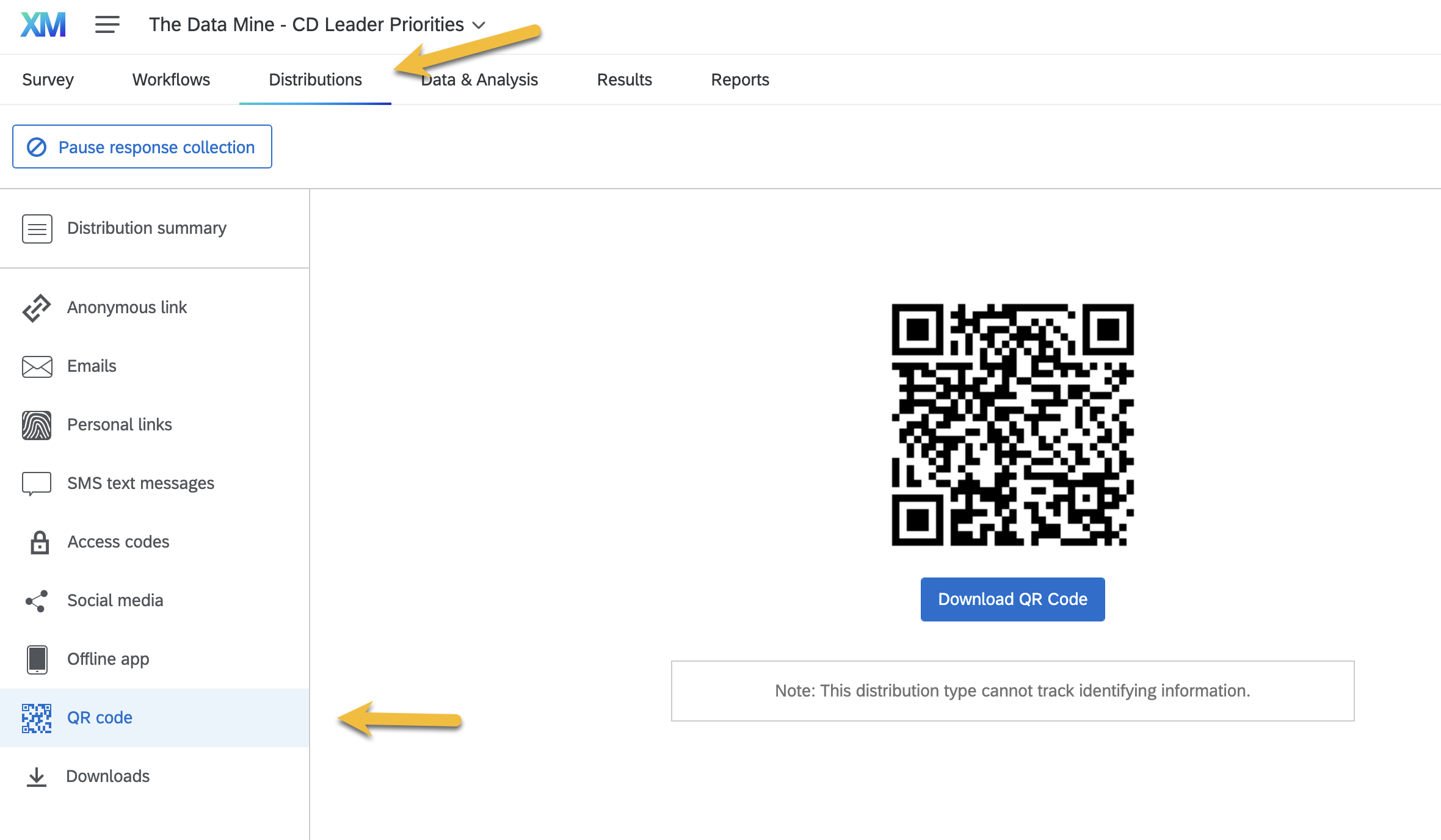
Publish the surveyNavigate to theDistributionsmenu, selectQR codeon the left menu, and download the QR code
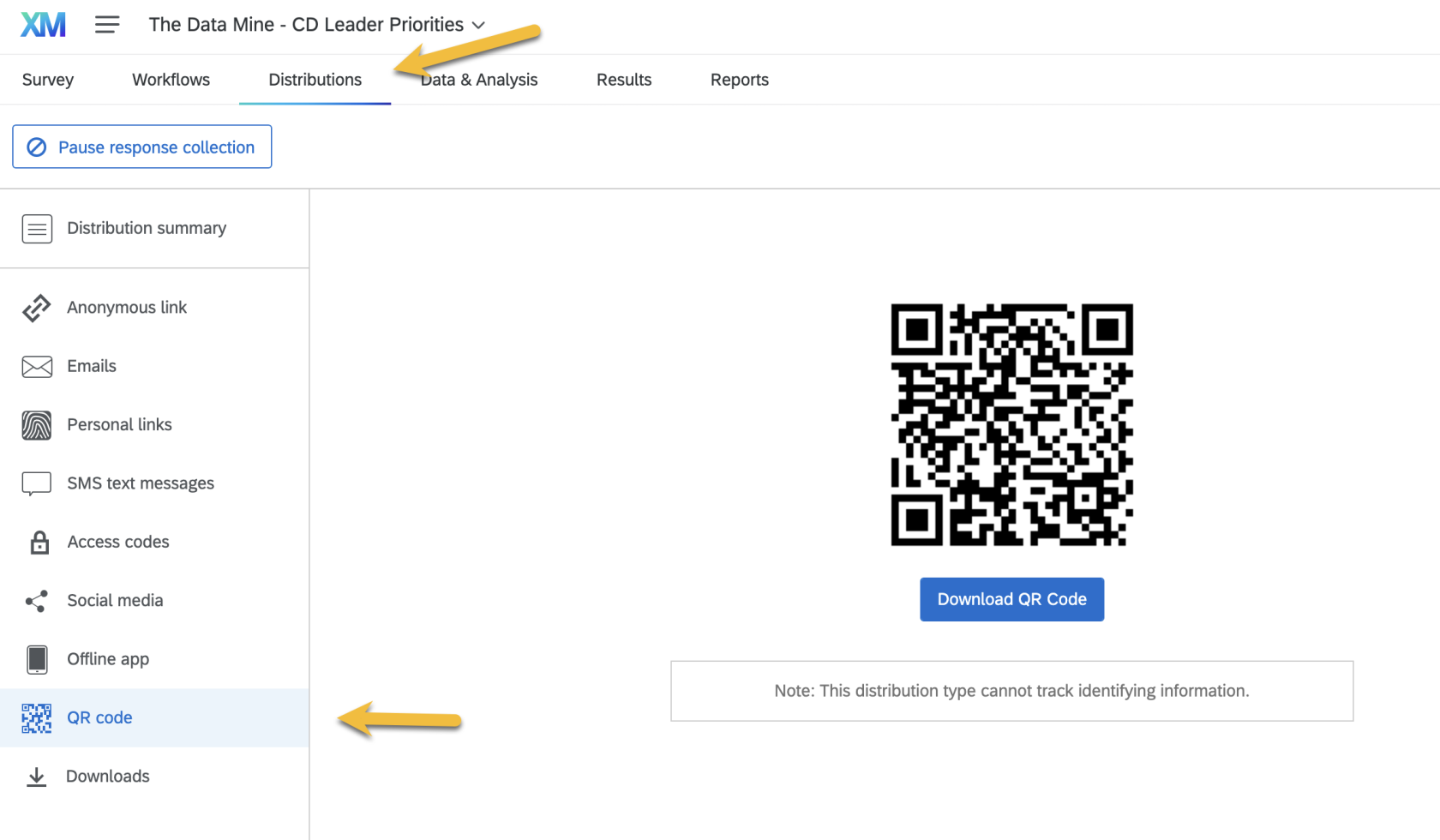
Include the QR code in the handout and presentationClickAnonymous linkin the left menu and copy the URLNavigate to a URL shortener (likehttps://t.ly/)and create a short link from the URL. Include this link on the handout.
Resources
Need Prioritization Handout Template